> For the complete documentation index, see [llms.txt](https://docs.kiloiot.io/llms.txt). Markdown versions of documentation pages are available by appending `.md` to page URLs; this page is available as [Markdown](https://docs.kiloiot.io/ai-assistant.md).
# IoT AI Assistant
An experienced integrator by your side. Let Kilo’s AI Assistant add devices, build and deploy automation, configure alarms, and create dashboards.
Kilo's **AI Assistant** is like having an experienced integrator by your side.
IoT has traditionally demanded specialist knowledge: protocols to learn, device compatibility to understand, and configuration steps to connect everything into a working system. Kilo's AI Assistant takes on the platform configuration work with you. Explain what you want to achieve, and it can add devices, build and deploy automation rules, configure alarms, and create dashboards.
You bring the goal. The assistant helps put the pieces together—and you can keep refining the setup as your project grows. Start with *“Add this temperature sensor to Warehouse B”*, then ask it to build an automation that alerts the facilities team when a reading exceeds your chosen limit. It asks for the details it needs and carries out the setup in your organization.
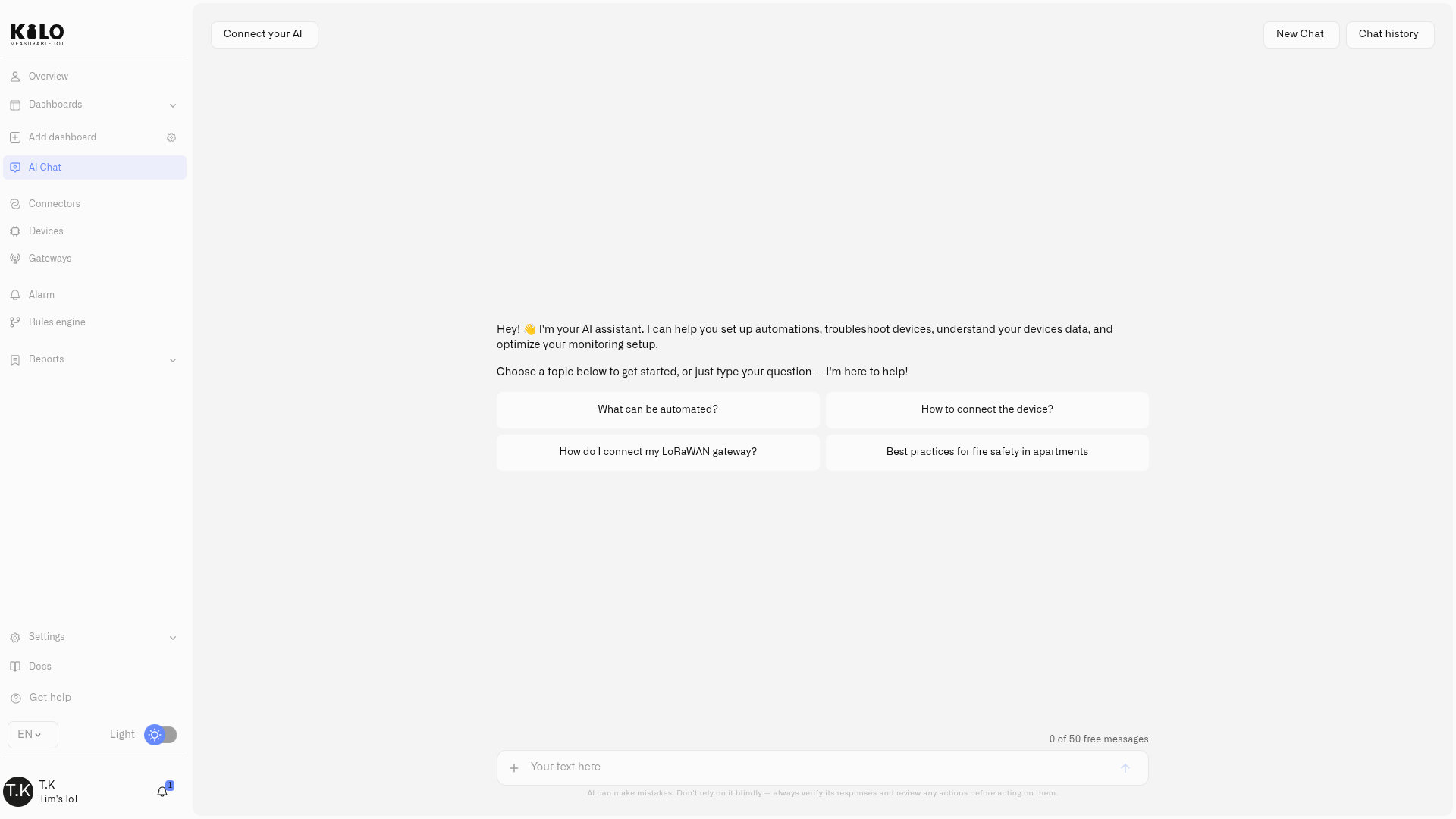
To get started, open the AI Assistant using **AI Chat** in the sidebar. See [Building With the Assistant](/ai-assistant/building-with-ai.md) for device onboarding, automation, and alarm setup.
## Three things make it different
**It carries out the setup.** The assistant can register devices, map readings, write a rule's [CEL expressions](/rules-engine/cel-reference.md), build and deploy that rule, and configure alarm recipients and escalation. You can also ask it to create an emulated device and send test readings before the hardware arrives.
**It connects the pieces of a project.** Device catalogs, connection details, existing rules, and platform guides give the assistant context for the next step. You can work from choosing a device to registering it and checking its first readings without translating your goal into a separate checklist for every screen.
**You can refine the work and review consequential actions.** Continue with *“change the threshold”* or *“notify the site manager too”*. The assistant keeps the conversation context. Device-command execution and actions such as deleting a device or resolving an alarm present a **Confirm Action** / **Cancel** prompt; routine setup can run directly.
## What it can do for you
| Your goal | Work you can hand to the assistant |
| ----------------------------------------- | ------------------------------------------------------------------------------------------------------------------------------------------------------------------------------------------------------------------- |
| **Connect equipment** | Find device models, create connections, register devices, map readings, and inspect diagnostics. See [Building With the Assistant](/ai-assistant/building-with-ai.md). |
| **Set up a response** | Create and revise rules, write their expressions, build and deploy them, test sample readings, and configure alarm definitions with escalation. |
| **Prepare a project before installation** | Create emulated devices, adjust their generated readings, create dashboards and folders, and plan the views your team needs. See [Dashboard setup](/ai-assistant/building-with-ai.md#prepare-dashboards-and-views). |
| **Operate and investigate** | Run a device's saved commands after confirmation, inspect execution status, compare readings, and explore history. See [Working With the Assistant](/ai-assistant/querying-your-data.md). |
| **Bring people into the workspace** | Invite registered users and configure their access to the organization. |
A saved trigger stores a monitoring condition separately from its responding rule. The assistant can explain that setup, but **cannot currently save or edit triggers in chat**. Use the [Triggers page](/rules-engine/triggers.md) for that step.
## Monitoring, automation, and control
A setup conversation can produce a working automation, not just an explanation of one. The resulting rule remains visible in the [Rules Engine](/rules-engine.md), where you can inspect its steps, review versions, debug behavior, and manage deployment.
For direct operation, ask the assistant to run a command already defined on a device. It shows the proposed action for confirmation and can retrieve the execution status afterward. Optional [command verification](/devices/commands/verification.md) checks device feedback; accepting a message for delivery is different from confirming a physical result.
Data questions complement this setup work. After commissioning, ask which devices have stopped reporting or compare temperatures across a period. The answer uses the readings available to your account. See [What It Can Access](/ai-assistant/data-sources.md) and [Privacy and Security](/ai-assistant/privacy.md) for data, permissions, and conversation handling.
## Availability
The assistant is part of the platform, with a monthly allowance of requests that scales with your plan. If you'd rather not be limited by the allowance, you can connect your own model API key and keep working. You'll see your remaining allowance above the chat input, and a prompt to review plans or add a key when you reach it.
The assistant runs on [SyntheticBrew](https://syntheticbrew.ai/), our own AI agent runtime. It connects the conversation to platform tools, carries the user's access context, and supports pausing a task for confirmation before it continues. Kilo supplies the device models, commands and automation lifecycle around those tools. Together, these layers let you work with physical equipment through the assistant while reviewing consequential actions. See [Physical AI Platform for AI Agents](/physical-ai.md) for the control and verification workflow.
## Where to go next
* [Building With the Assistant](/ai-assistant/building-with-ai.md) — delegate devices, rules, alarms, and dashboard setup
* [Let AI Set It Up for You](/getting-started/let-ai-set-it-up.md) — start in Kilo or connect your preferred AI client
* [Working With the Assistant](/ai-assistant/querying-your-data.md) — investigate readings, trends, and device status
* [What It Can Access](/ai-assistant/data-sources.md) — the project context behind its work
* [Privacy and Security](/ai-assistant/privacy.md) — permissions, confirmations, and conversation handling
* [MCP Server](/api/mcp-server.md) — connect an external AI client to your deployment
---
# Agent Instructions
This documentation is published with GitBook. GitBook is the documentation platform designed so that both humans and AI agents can read, navigate, and reason over technical content effectively. Learn more at gitbook.com.
## Querying This Documentation
If you need additional information that is not directly available in this page, you can query the documentation by asking a question.
Perform an HTTP GET request on the following URL with the `ask` and `goal` query parameters:
```
GET https://docs.kiloiot.io/ai-assistant.md?ask=&goal=
```
`ask` is the immediate question: it should be specific, self-contained, and written in natural language.
`goal` is what the user is ultimately trying to achieve, the reason they need the answer. Sharing it helps GitBook give you a better, more relevant answer. A goal is most helpful when it describes the outcome the user wants rather than restating the question. For example, with `ask=how do I create an API token`, a goal like `automate deployments from our CI pipeline` lets GitBook tailor the answer to that use case.
The response will contain a direct answer to the question and relevant excerpts and sources from the documentation.
Use this mechanism when the answer is not explicitly present in the current page, you need clarification or additional context, or you want to retrieve related documentation sections.