> For the complete documentation index, see [llms.txt](https://docs.kiloiot.io/llms.txt). Markdown versions of documentation pages are available by appending `.md` to page URLs; this page is available as [Markdown](https://docs.kiloiot.io/applications/use-cases.md).

# What Are Use Cases?

Use cases describe the specific problems a Kilo solution solves, such as leak protection or tank monitoring. Learn the Use cases tab and its Add Use case form.

This page is for the Kilo team that publishes the catalog. You do not need it to install and use solutions.

A solution is rarely about a single problem. A shopping-center solution might protect against leaks, save energy, and pump out a flooded basement. Each of those is a **use case**.

## What is a use case in Kilo?

A use case is one clearly described problem or need, in plain words: *Above-ground stock water tank level monitoring*, *After-hours car park intrusion detection*. It belongs to an industry such as Agriculture or Property Management, and many use cases can be linked to a single solution. The same use case can serve many solutions, because the same problem appears in different industries.

## Who manages use cases?

Kilo curates the use cases, so the **Use cases** tab appears only for Kilo's own organization. You will not see it. It is documented here so you understand how the catalog is organized.

Today, use cases organize the catalog: when a solution is published, the publisher chooses an industry and picks the use cases it implements, so the catalog is arranged around problems rather than product names.

## What is on the Use cases tab?

Open **Applications → Use cases**. The tab has a heading, **Use cases**, and an introduction: reusable customer scenarios that describe a specific problem or need, which can be linked to one or more applications.

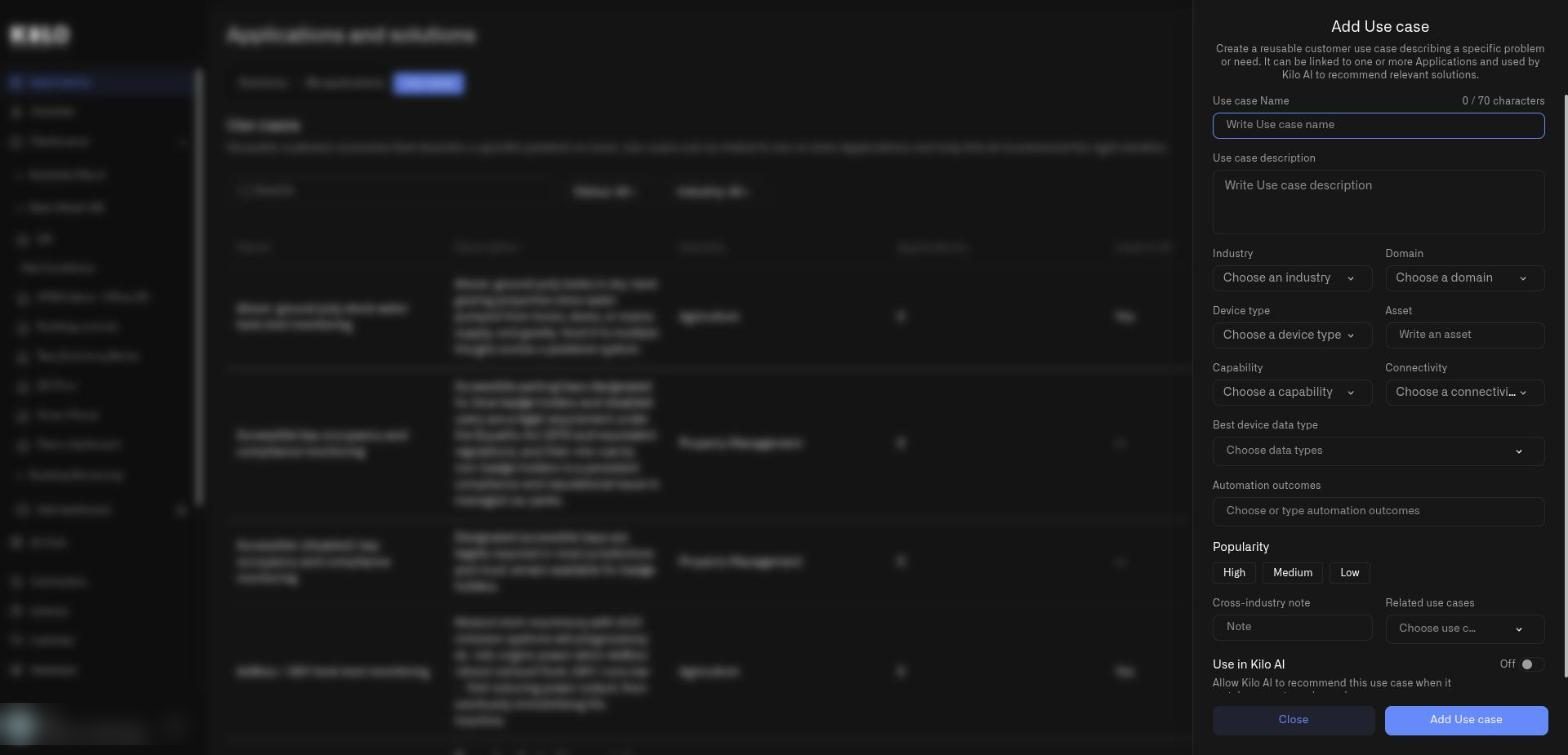
<figure><img src="https://2057878315-files.gitbook.io/~/files/v0/b/gitbook-x-prod.appspot.com/o/spaces%2FtNQh1wBSHSaknslMdOXm%2Fuploads%2Fgit-blob-e94dd037319764514d306c1abf00ba539dbe5710%2Fkilo-solutions-use-cases.jpg?alt=media" alt="The Use cases tab with a search box, Status and Industry filters, an Add Use case button, and a table of use cases with Name, Description, Industry, Applications, and Used in AI columns"><figcaption><p>The Use cases tab of a demo organization. The introduction mentions Kilo AI recommendations, which are not available to customers yet.</p></figcaption></figure>

* **Search.** Finds a use case by name.
* **Status: All.** A filter with the options **Used in AI** and **Not used in AI**, which reflect the listing option.
* **Industry: All.** Filters by industry.
* **Add Use case.** Opens the form below.
* **Table columns.** **Name**, **Description**, **Industry**, **Applications** (how many applications implement it), and **Used in AI**. Each row ends with an arrow that opens the use case for editing and a trash icon that deletes it.

## How do I add a use case?

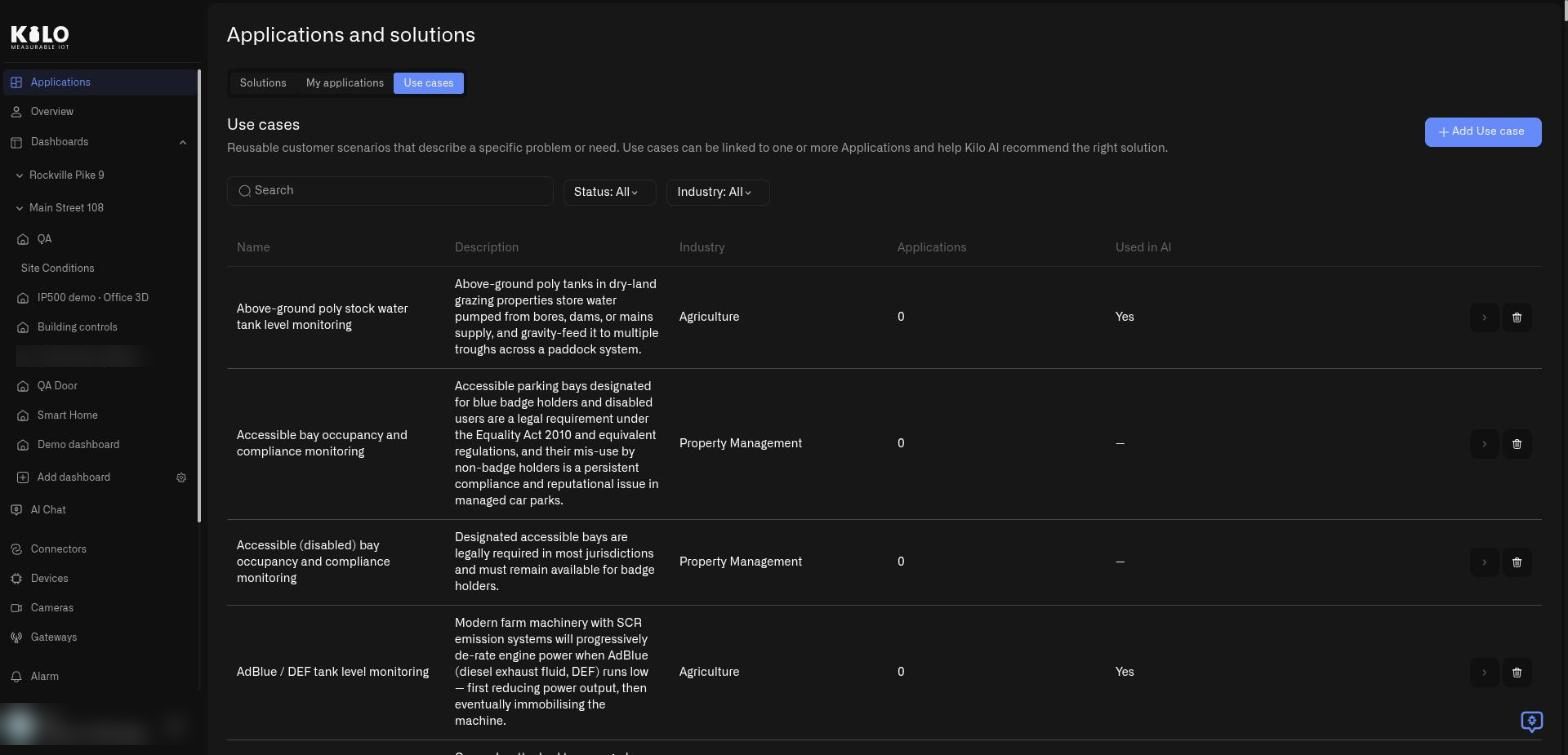
Select **Add Use case**. A panel slides in from the right.

<figure><img src="https://2057878315-files.gitbook.io/~/files/v0/b/gitbook-x-prod.appspot.com/o/spaces%2FtNQh1wBSHSaknslMdOXm%2Fuploads%2Fgit-blob-ceb1082b1eff50139fa5e58fffd931637cad609c%2Fkilo-solutions-add-use-case.jpg?alt=media" alt="The Add Use case panel with fields for name, description, industry, domain, device type, asset, capability, connectivity, best device data type, automation outcomes, popularity, cross-industry note, related use cases, and a Use in Kilo AI toggle"><figcaption><p>The Add Use case panel over the use cases list.</p></figcaption></figure>

Fill in the fields from top to bottom:

* **Use case Name.** Up to 70 characters; a counter shows how many are left.
* **Use case description.** The problem in plain words.
* **Industry** and **Domain.** Choose from the lists.
* **Device type**, **Asset**, **Capability**, and **Connectivity.** Describe what is monitored and how the devices connect. Device type, Capability, and Connectivity are lists; Asset is free text.
* **Best device data type.** The kinds of readings that matter most.
* **Automation outcomes.** What the setup achieves; choose or type your own.
* **Popularity.** **High**, **Medium**, or **Low**.
* **Cross-industry note.** A short note when the same problem appears in other industries.
* **Related use cases.** Link to similar ones.
* **Use in Kilo AI.** A listing option for the platform's own catalog. Its hint reads *Allow Kilo AI to recommend this application when it matches a customer's needs.*

Select **Add Use case** to save, or **Close** to leave without saving. To change one later, select the arrow on its row; the form is titled **Edit Use case**.

## How do I delete a use case?

Select the trash icon on its row. Kilo asks **Delete the use case «name»?** and explains that the use case stops being available for new publications and Kilo AI recommendations. Confirm with **Yes, delete**. If solutions still implement the use case, the server refuses and a second dialog lists them (**It is implemented by:** followed by their names; deleting detaches it from them). Confirm that one with **Yes, detach and delete**, or select **Cancel** to keep the use case.


---

# Agent Instructions
This documentation is published with GitBook. GitBook is the documentation platform designed so that both humans and AI agents can read, navigate, and reason over technical content effectively. Learn more at gitbook.com.

## Querying This Documentation
If you need additional information that is not directly available in this page, you can query the documentation by asking a question.

Perform an HTTP GET request on the following URL with the `ask` and `goal` query parameters:

```
GET https://docs.kiloiot.io/applications/use-cases.md?ask=<question>&goal=<user_goal>
```

`ask` is the immediate question: it should be specific, self-contained, and written in natural language.
`goal` is what the user is ultimately trying to achieve, the reason they need the answer. Sharing it helps GitBook give you a better, more relevant answer. A goal is most helpful when it describes the outcome the user wants rather than restating the question. For example, with `ask=how do I create an API token`, a goal like `automate deployments from our CI pipeline` lets GitBook tailor the answer to that use case.

The response will contain a direct answer to the question and relevant excerpts and sources from the documentation.

Use this mechanism when the answer is not explicitly present in the current page, you need clarification or additional context, or you want to retrieve related documentation sections.