> For the complete documentation index, see [llms.txt](https://docs.kiloiot.io/llms.txt). Markdown versions of documentation pages are available by appending `.md` to page URLs; this page is available as [Markdown](https://docs.kiloiot.io/get-help.md).
# Get Help
Submit a support request from inside Kilo IoT Server — the in-product dialog sends your message with context.
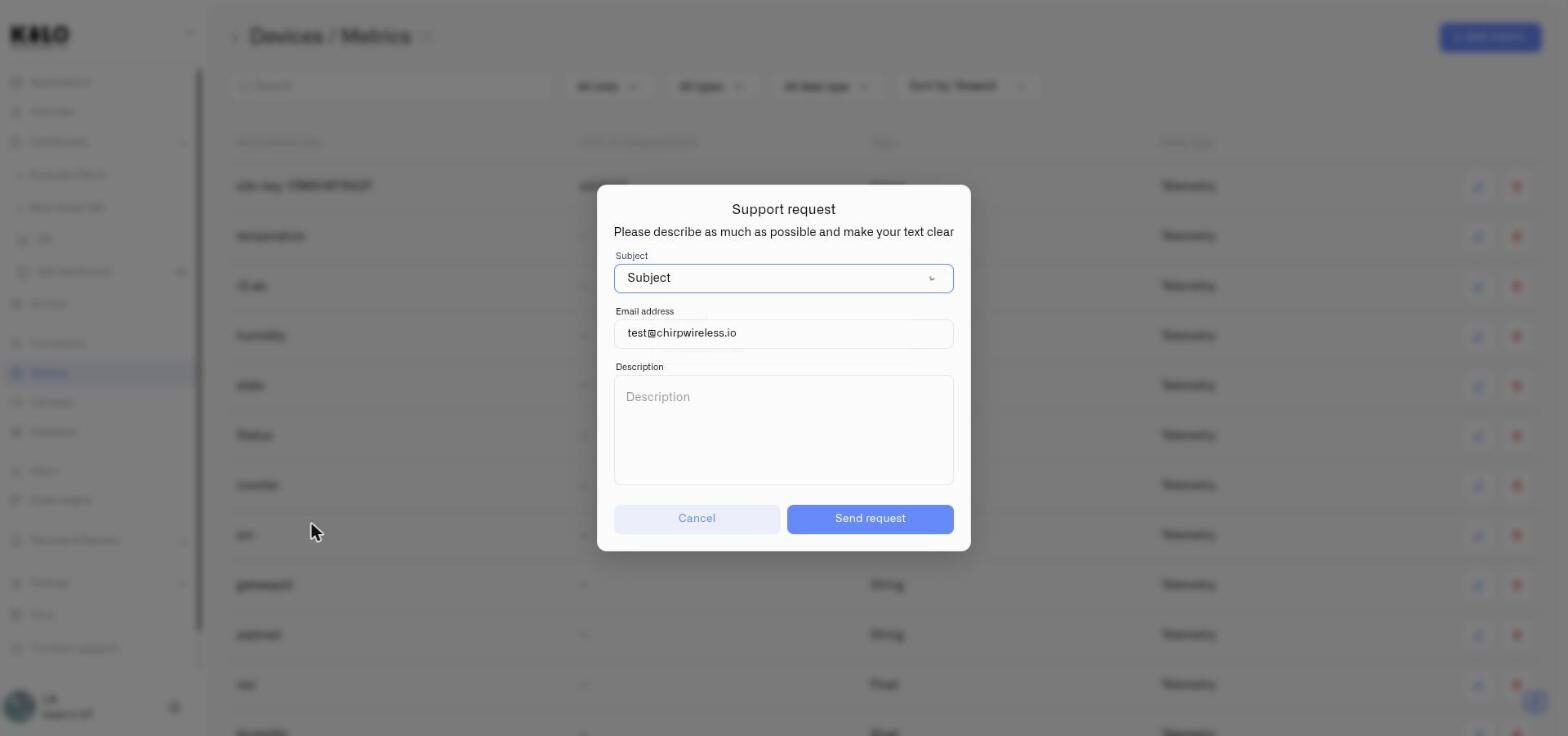
The support request dialog is available throughout the Kilo IoT Server interface. It sends your message — along with your account context — directly to the Kilo IoT support team.
## Opening the Dialog
Click the help or support option in the interface to open the contact form.
## Dialog Fields
| Field | Required | Description |
| ----------------- | -------- | -------------------------------------------------------------------------------------------------------------------------------------------------------------------------------------------------- |
| **Subject** | Yes | A dropdown with three choices — **Bug report**, **Feature request** and **Integration request**. Pick whichever fits; it tells the team what kind of message they are reading before they open it. |
| **Email address** | Yes | Pre-filled with your account email. You can change it if you need the reply sent to a different address. The field validates for correct email format. |
| **Description** | Yes | A detailed explanation of what you need help with. The dialog reminds you: *"Please describe as much as possible and make your text clear."* |
### Which subject to choose
The three options are deliberately narrow, because each one goes somewhere different:
* **Bug report** — something in the platform behaves incorrectly. Say what you did, what happened, and what you expected instead; that trio is what makes a report reproducible.
* **Feature request** — the platform does not do something you need. Describing the outcome you are after is more useful than describing the control you imagine — it often turns out there is already a way, or a better one.
* **Integration request** — a device, protocol or external system you need Kilo to work with. Name the hardware or the service specifically, including model numbers.
## Sending the Request
Click **Send request** to submit. On success, a confirmation notification appears -- *"Request has been successfully sent"* -- the form clears, and the dialog closes automatically.
If something goes wrong during submission, an error notification is displayed so you can try again.
Click **Cancel** to discard the form and close the dialog without sending.
---
# Agent Instructions
This documentation is published with GitBook. GitBook is the documentation platform designed so that both humans and AI agents can read, navigate, and reason over technical content effectively. Learn more at gitbook.com.
## Querying This Documentation
If you need additional information that is not directly available in this page, you can query the documentation by asking a question.
Perform an HTTP GET request on the following URL with the `ask` and `goal` query parameters:
```
GET https://docs.kiloiot.io/get-help.md?ask=&goal=
```
`ask` is the immediate question: it should be specific, self-contained, and written in natural language.
`goal` is what the user is ultimately trying to achieve, the reason they need the answer. Sharing it helps GitBook give you a better, more relevant answer. A goal is most helpful when it describes the outcome the user wants rather than restating the question. For example, with `ask=how do I create an API token`, a goal like `automate deployments from our CI pipeline` lets GitBook tailor the answer to that use case.
The response will contain a direct answer to the question and relevant excerpts and sources from the documentation.
Use this mechanism when the answer is not explicitly present in the current page, you need clarification or additional context, or you want to retrieve related documentation sections.