> For the complete documentation index, see [llms.txt](https://docs.kiloiot.io/llms.txt). Markdown versions of documentation pages are available by appending `.md` to page URLs; this page is available as [Markdown](https://docs.kiloiot.io/kilo-docs-de/kilo-iot-server/devices.md).
# Geräte
Geräte im Kilo IoT Server — Digital-Twin-Modell, Lebenszyklus, Registrierung, Konfiguration, Normalisierung.
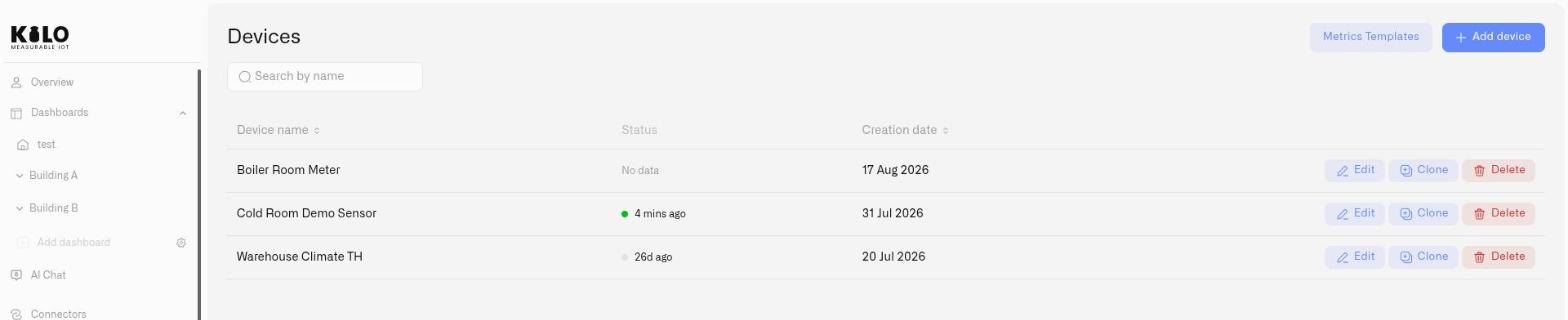
Jedes auf dem Kilo IoT Server registrierte Gerät wird zu einem Digital Twin — einer vollständigen digitalen Darstellung, die die Identität des Geräts, die Sensorkonfiguration, die Telemetriehistorie, Fotos und die Verbindungsverknüpfung in einem persistenten Modell erfasst. Die meisten Zwillinge werden von physischer Hardware unterstützt; einige werden von der Plattform selbst gesteuert, sodass eine Bereitstellung aufgebaut und erprobt werden kann, bevor ein Sensor installiert ist.
Der Bereich Geräte deckt den gesamten Gerätelebenszyklus ab, von der Registrierung bis zum täglichen Betrieb.
## In diesem Abschnitt
* [Geräte registrieren](/kilo-docs-de/kilo-iot-server/devices/registering-devices.md) — der gemeinsame Registrierungsablauf und die Felder, die jeder Connector-Typ abfragt.
* [Geräteverwaltung](/kilo-docs-de/kilo-iot-server/devices/device-management.md) — ein registriertes Gerät bearbeiten, es kopieren und seine Verbindung neu zuordnen.
* [Gerätediagnose](/kilo-docs-de/kilo-iot-server/devices/device-diagnostics.md) — warum ein Gerät stumm bleibt: Empfangsstatus, Pipeline und der Ereignis-Feed.
* [Messwerte](/kilo-docs-de/kilo-iot-server/devices/metric-templates.md) — Einheiten, Messwertschlüssel und Vorlagen, die Rohdaten von Sensoren herstellerübergreifend normalisieren.
* [Payload-Dekodierung und Connector-Schlüssel](/kilo-docs-de/kilo-iot-server/devices/payload-decoding.md) — sehen Sie, welche Felder ein Gerät meldet und welche Werte sie enthalten.
* [MIOTY-Geräte](/kilo-docs-de/kilo-iot-server/devices/mioty-devices.md) und [MIOTY-Blaupausen](/kilo-docs-de/kilo-iot-server/devices/mioty-blueprints.md) — MIOTY-Endpunkte in Betrieb nehmen und ihre Payloads decodieren.
* [Emulierte Geräte](/kilo-docs-de/kilo-iot-server/devices/emulated-devices.md) — Geräte, die ihre eigenen Daten erzeugen, sodass Sie schon entwickeln können, bevor die Hardware eintrifft.
* [Gerätebefehle](/kilo-docs-de/kilo-iot-server/devices/commands.md) — die Aktionen definieren, bestätigen und versenden, die ein Gerät ausführen kann.
---
# Agent Instructions
This documentation is published with GitBook. GitBook is the documentation platform designed so that both humans and AI agents can read, navigate, and reason over technical content effectively. Learn more at gitbook.com.
## Querying This Documentation
If you need additional information that is not directly available in this page, you can query the documentation dynamically by asking a question.
Perform an HTTP GET request on the current page URL with the `ask` query parameter, and the optional `goal` query parameter:
```
GET https://docs.kiloiot.io/kilo-docs-de/kilo-iot-server/devices.md?ask=&goal=
```
`ask` is the immediate question: it should be specific, self-contained, and written in natural language.
`goal` is optional and describes the broader end goal you are ultimately trying to accomplish on behalf of the user. GitBook uses it to tailor the answer towards what is most useful for that goal.
The response will contain a direct answer to the question and relevant excerpts and sources from the documentation.
Use this mechanism when the answer is not explicitly present in the current page, you need clarification or additional context, or you want to retrieve related documentation sections.