> For the complete documentation index, see [llms.txt](https://docs.kiloiot.io/llms.txt). Markdown versions of documentation pages are available by appending `.md` to page URLs; this page is available as [Markdown](https://docs.kiloiot.io/kilo-mioty-service-center/operations/blueprints-and-decoders.md).
# Blueprints and Decoders
Manage KiloCenter blueprints: add manufacturers, models and decoders, test a payload, migrate devices to a new blueprint and submit blueprints to a registry.
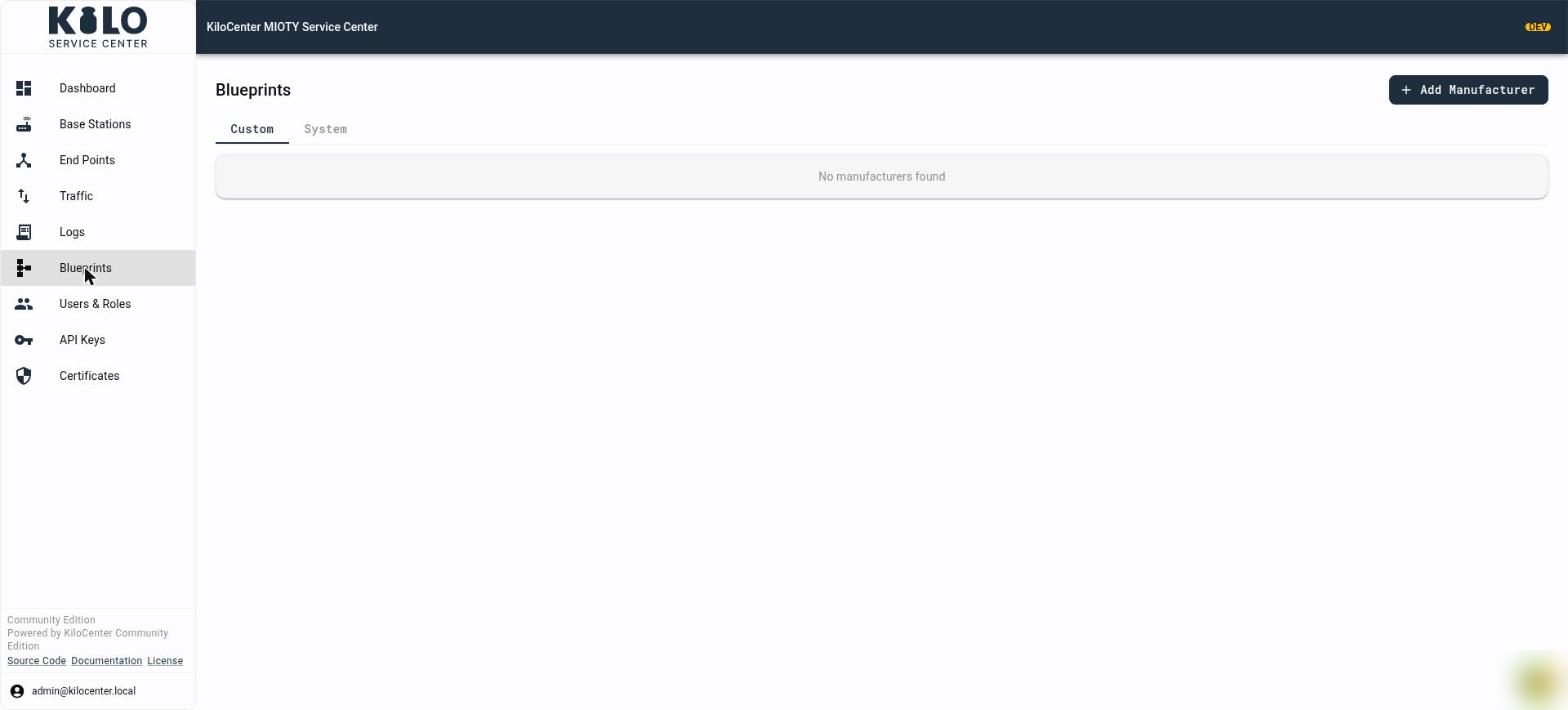
A **blueprint** tells KiloCenter how to read the payload of a MIOTY end point: which bytes are the temperature, which are the battery level, and in what unit. With a blueprint assigned, every uplink in the **Activity** tab shows decoded values next to its raw payload. This page covers the **Blueprints** page of KC-Web: the catalog, every dialog, testing a decode and sharing a blueprint. To assign a blueprint to an end point, see [How Do I Decode an Endpoint's Uplinks with a Blueprint?](/kilo-mioty-service-center/onboarding/register-an-endpoint.md#how-do-i-decode-an-endpoints-uplinks-with-a-blueprint)
You need the **Endpoint Manager** role or **Admin** to open **Blueprints**. Entries in the **System** catalog can be created, edited and deleted only by an **Admin**; for everyone else those buttons are hidden. The role matrix is in [User Roles and Permissions](/kilo-mioty-service-center/security/users-and-roles.md).
## What is in the Custom and System catalogs?
The catalog is a tree: a **manufacturer** has **models** and a model has **blueprints**, each with a version.
* **Custom** holds the entries of your organization.
* **System** holds the entries shared with every organization on this service center. It contains only what an administrator adds, plus entries imported from a blueprint registry when one is configured.
A notice above the list says which catalog the next entry goes to: "Adds to your organization's Custom catalog." or "Adds to the System catalog, shared with every organization on this service center." When a catalog is empty the page says "No manufacturers found", "No device models found" or "No blueprints found".
## How do I add a manufacturer, a model and a decoder?
1. Open **Blueprints**, pick the **Custom** or **System** tab, and click **Add Manufacturer**.
2. In **Add Manufacturer**, fill in **Name** (required, "Name is required"), **Website** and **Description**, then save. The toast reads "Manufacturer created". The table shows each manufacturer with its **Models**, **Blueprints** and **Created** counts and **Actions**.
3. Open the manufacturer and click **Add Model**. The **Add Model** page asks for:
* **Manufacturer** (required),
* **Name** (required),
* **Version** (required),
* **Blueprint Specification (JSON)**, the blueprint itself: "Blueprint JSON per MIOTY Application Layer Specification". Invalid JSON shows "Invalid JSON format", an empty field "Blueprint specification is required".
* The toast reads "Device model created".
4. To add another decoder version to an existing model, open the model and click **Add Decoder**. It takes a **Version** and the specification JSON ("Blueprint created").
5. To change or remove an entry, use the edit and delete icons in **Actions**:
* **Edit Manufacturer** and **Edit Device Model** change the name, website and description.
* **Delete Manufacturer** asks "Delete this manufacturer? All device models and blueprints will also be deleted." and **Delete Device Model** asks "Delete this device model? All blueprints will also be deleted."
## What does the blueprint page show?
Click a blueprint to open it. The header reads "Blueprint v" with the version, with **Back to Blueprints** at the top and these badges:
* **Default**: the blueprint new devices of this model use.
* **System**: it lives in the System catalog.
* **Verified**: it came from the registry and has been checked.
**Blueprint Information** shows when it was **Created** and **Updated**. The specification card shows the JSON. Click **Edit** to change it; **Save** stores it ("Blueprint saved") and **Cancel** discards your changes. **Default for new devices** makes this blueprint the model's default ("Blueprint set as the model default").
## How do I test a blueprint before I use it?
On the blueprint page, the **Test Decode** card decodes a sample without touching any end point:
1. Paste a hex payload into **Test Payload (hex)** ("Hex-encoded payload to test decoding").
2. Enter the **Format ID** the device uses (the user data format of the uplink).
3. Click **Test Decode** (disabled until you enter a payload). The result reads **Decoded successfully** with the values, or **Decode failed** with a `Code:` and message. Before you run it, the card says "No decode result".
## How do I move existing devices to a new blueprint?
When you publish a better decoder, **Migrate Devices** applies it to end points that already use the model:
1. Open the blueprint (or the model) and click **Migrate Devices**.
2. **Migrate Devices to This Blueprint** tells you how many device snapshots it will change ("This will re-materialize N device snapshot(s) onto this blueprint.") or "No device snapshots reference this model — nothing to migrate."
3. Tick **Also set as default for new devices** if the blueprint should become the default.
4. Click **Migrate**. The toast reads "Devices migrated: N device snapshot(s) now use this blueprint".
Earlier uplinks keep the decode status they were stored with.
## How do I submit a blueprint to the registry?
A blueprint registry is a GitHub repository where blueprints are shared. When the service center is connected to one, the blueprint page shows **Submit to Registry** (hidden for blueprints that are already **Verified**).
1. Click **Submit to Registry**. The dialog **Submit to Registry** asks for **Contributor Name** and **Contributor Email** (both required) and a description ("Describe the changes or purpose of this blueprint...").
2. Submit. KiloCenter opens a pull request in the registry repository and reports "Blueprint submitted to registry successfully", "Pull request created", the branch and commit, and a **View Pull Request** link.
If no registry is connected, the **System** tab says "The blueprint registry is not configured on this service center" and **Submit to Registry** is disabled with the note "Submission is unavailable: the blueprint registry is not configured on this service center." Connect one with the `registry_provider` settings:
| Setting | Environment variable | Purpose |
| ----------------------------------------------------------------------------------------------------------------------------- | -------------------------------------------------------------------------------------------------------------------------------------------------------------- | ------------------------------------------------------------------ |
| `registry_provider.enabled` | | Turns registry submission on. Default `false`. |
| `registry_provider.auth_mode` | | `token` (a personal access token) or `github-app`. |
| `registry_provider.api_url` | | API base URL. Default `https://api.github.com` in the sample file. |
| `registry_provider.token` | `KILOCENTER_REGISTRY_PROVIDER_TOKEN` | Personal access token, for `token` mode. |
| `registry_provider.owner` | `KILOCENTER_REGISTRY_PROVIDER_OWNER` | Repository owner. |
| `registry_provider.repo` | `KILOCENTER_REGISTRY_PROVIDER_REPO` | Repository name. |
| `registry_provider.base_branch` | | Branch the pull request targets. Default `main`. |
| `registry_provider.branch_prefix` | | Prefix for new branches. Default `blueprint/`. |
| `registry_provider.blueprint_path` | `KILOCENTER_REGISTRY_PROVIDER_BLUEPRINT_PATH` | Folder for blueprint files in the repository. |
| `registry_provider.file_extension` | | File extension. Default `.json`. |
| `registry_provider.http_timeout` | | Request timeout in seconds. Default `30`. |
| `registry_provider.github_app_id`, `registry_provider.github_app_installation_id`, `registry_provider.github_app_private_key` | `KILOCENTER_REGISTRY_PROVIDER_GITHUB_APP_ID`, `KILOCENTER_REGISTRY_PROVIDER_GITHUB_APP_INSTALLATION_ID`, `KILOCENTER_REGISTRY_PROVIDER_GITHUB_APP_PRIVATE_KEY` | GitHub App credentials, for `github-app` mode. |
Keep tokens and private keys in environment variables or a secret store, not in the configuration file you commit.
## Where do blueprints fit in the platform?
In Kilo Cloud, MIOTY decoding for the platform's own devices is described in [MIOTY blueprints](/devices/mioty-blueprints.md). The Community edition's **Blueprints** page is for the service center itself, and its decoded values reach your application in uplink messages and over MQTT.
---
# Agent Instructions
This documentation is published with GitBook. GitBook is the documentation platform designed so that both humans and AI agents can read, navigate, and reason over technical content effectively. Learn more at gitbook.com.
## Querying This Documentation
If you need additional information that is not directly available in this page, you can query the documentation by asking a question.
Perform an HTTP GET request on the following URL with the `ask` and `goal` query parameters:
```
GET https://docs.kiloiot.io/kilo-mioty-service-center/operations/blueprints-and-decoders.md?ask=&goal=
```
`ask` is the immediate question: it should be specific, self-contained, and written in natural language.
`goal` is what the user is ultimately trying to achieve, the reason they need the answer. Sharing it helps GitBook give you a better, more relevant answer. A goal is most helpful when it describes the outcome the user wants rather than restating the question. For example, with `ask=how do I create an API token`, a goal like `automate deployments from our CI pipeline` lets GitBook tailor the answer to that use case.
The response will contain a direct answer to the question and relevant excerpts and sources from the documentation.
Use this mechanism when the answer is not explicitly present in the current page, you need clarification or additional context, or you want to retrieve related documentation sections.